# AMD WinML Extension
The AMD WinML (vx_winml) is an OpenVX module that implements a mechanism to access WinML functionality as OpenVX kernels. These kernels can be accessed from within OpenVX framework using OpenVX API call [vxLoadKernels](https://www.khronos.org/registry/vx/specs/1.0.1/html/da/d83/group__group__user__kernels.html#gae00b6343fbb0126e3bf0f587b09393a3)(context, "vx_winml").
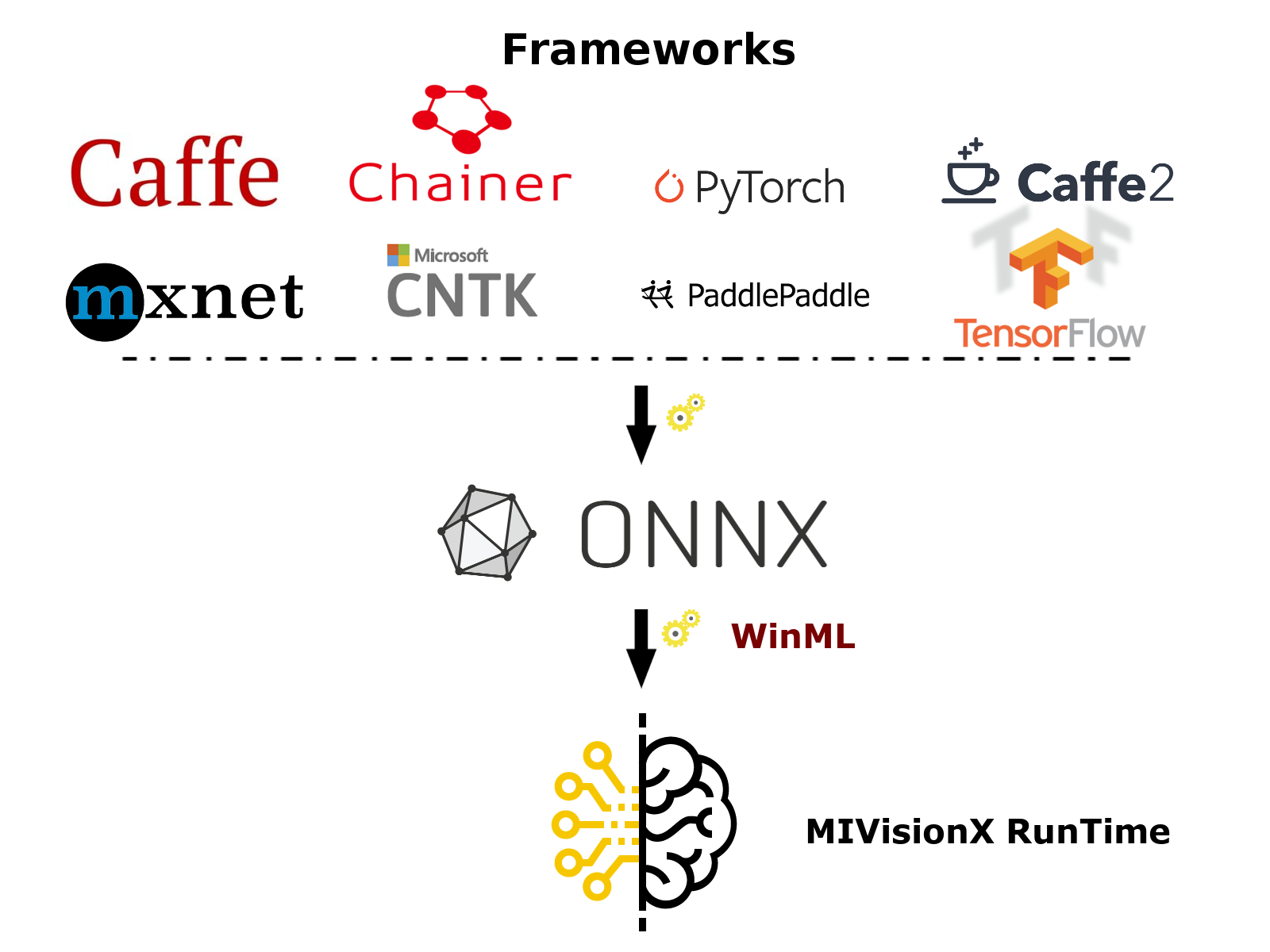
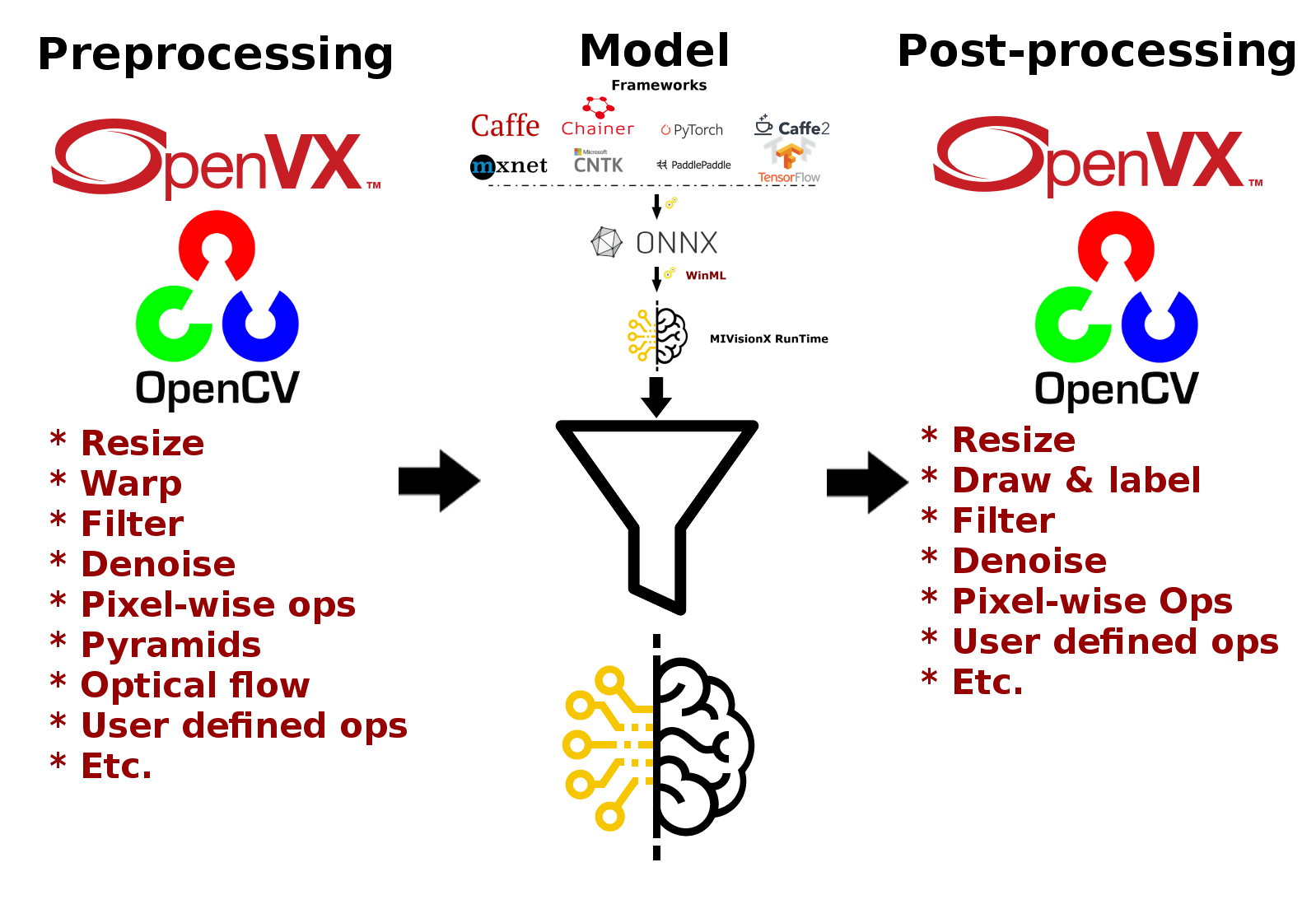
The WinML extension will allow developers to import a pre-trained ONNX model into an OpenVX graph and add hundreds of different pre & post processing `vision`/`generic`/`user-defined` functions, available in OpenVX and OpenCV interop, to the input and output of the neural net model. This will allow developers to build an end to end application for inference.
## List of WinML-interop kernels
The following is a list of WinML functions that have been included in the vx_winml module.
onnxToMivisionX com.winml.onnx_to_mivisionx
convertImageToTensor com.winml.convert_image_to_tensor
getTopKLabels com.winml.get_top_k_labels
**NOTE** - For the list of OpenVX API calls for WinML-interop refer include/[vx_ext_winml.h](include/vx_ext_winml.h)
## Build Instructions
### Pre-requisites
* Windows 10, [version `1809` or later](https://www.microsoft.com/software-download/windows10)
* Windows SDK, [build `17763` or later](https://developer.microsoft.com/en-us/windows/downloads/windows-10-sdk)
* Visual Studio 2017, [version `15.7.4` or later](https://developer.microsoft.com/en-us/windows/downloads)
* Visual Studio extension for C++/WinRT
* Install [OpenCL SDK](https://github.com/GPUOpen-LibrariesAndSDKs/OCL-SDK/releases/tag/1.0)
* [OpenCV 3.4](https://github.com/opencv/opencv/releases/tag/3.4.0)
* Set `OpenCV_DIR` environment variable to `OpenCV/build` folder
* Add `%OpenCV_DIR%\x64\vc14\bin` or `%OpenCV_DIR%\x64\vc15\bin` to your `PATH`
### Build using `Visual Studio 2017` on 64-bit Windows 10
* Use `amd_openvx_extensions/amd_winml.sln` to build for x64 platform
## Utilities
### MIVisionX WinML Validate
This [utility](utilities/MIVisionX-WinML-Validate#mivisionx-onnx-model-validation) can be used to test and verify the ONNX model on the Windows platform. If the ONNX model is supported by this utility, the amd_winml extension can import the ONNX model and add other OpenVX nodes for pre & post-processing in a single OpenVX graph to run efficient inference.
**NOTE:** [Samples](utilities/MIVisionX-WinML-Validate/sample#sample) are available
## Samples
[Samples](samples#samples) to run inference on a single image and on a live camera is provided in the samples folder.
* [SqueezeNet](samples#sample---squeezenet)
* [Single Image Inference](samples#winml-imagegdf---single-image-inference)
* [Live Inference](samples#winml-livegdf---live-inference-using-a-camera)
* [FER+ Emotion Recognition](samples#sample---fer-emotion-recognition)
* [VGG 19](samples#sample---vgg19)
* [Multiple Models](samples#winml-live-multiplemodelsgdf---live-inference-using-a-camera)