[](https://opensource.org/licenses/MIT)

# OpenVX Samples
Khronos OpenVX™ is an open, royalty-free standard for cross-platform acceleration of computer vision applications. OpenVX enables performance and power-optimized computer vision processing, especially important in embedded and real-time use cases such as face, body, and gesture tracking, smart video surveillance, advanced driver assistance systems (ADAS), object and scene reconstruction, augmented reality, visual inspection, robotics and more.
In this sample, we provide OpenVX sample applications to use with any conformant implementation of OpenVX.
* Optical Flow
## Optical Flow Sample
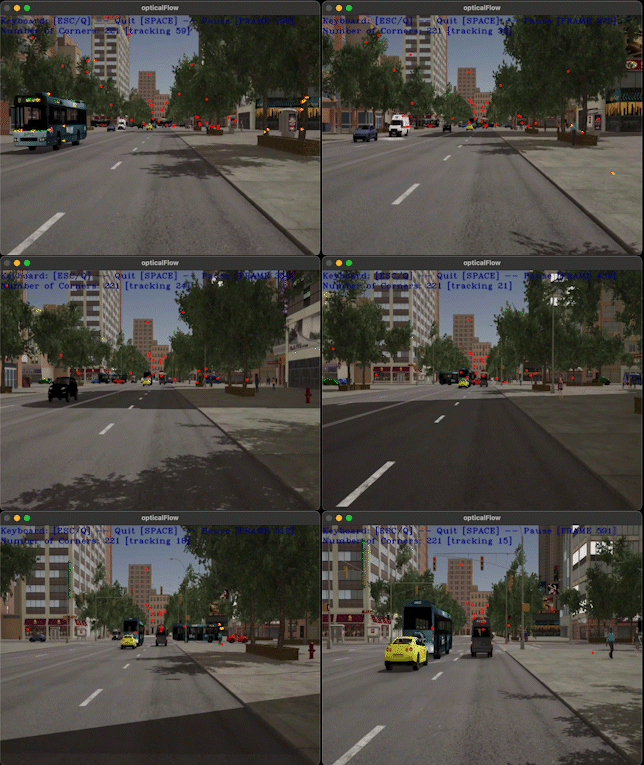
In this sample we will create an OpenVX graph to run Optical Flow on a video/live. This sample application uses OpenCV to decode input video and display the output.
### Prerequisites
* [Conformant OpenVX Implementation](https://github.com/GPUOpen-ProfessionalCompute-Libraries/MIVisionX)
* [OpenCV](https://github.com/opencv/opencv/releases/tag/3.4.0)
### Steps to run the Optical Flow sample
* **Step - 1:** Build and install [Conformant OpenVX Implementation](https://github.com/GPUOpen-ProfessionalCompute-Libraries/MIVisionX).
```
Build OpenVX on Linux
* Git Clone project
git clone https://github.com/GPUOpen-ProfessionalCompute-Libraries/MIVisionX.git
* Use CMake to build
mkdir build && cd build
cmake ../MIVisionX
make -j8
sudo make install
```
* **Step - 2:** Export OpenVX Directory Path
```
export OPENVX_DIR=/opt/rocm/mivisionx
```
* **Step - 3:** CMake and Build the optical flow application
```
mkdir opticalFlow-build && cd opticalFlow-build
cmake -DOPENVX_INCLUDES=$OPENVX_DIR/include -DOPENVX_LIBRARIES=$OPENVX_DIR/lib/libopenvx.so ../optical_flow
make
```
* **Step - 4:** Run VX Optical Flow application
```
Usage:
./opticalFlow --video